


The AMS you pick next will run much of your staff’s day, from dues collection to event bookings and course access for members. A polished demo shows only part of that picture.
Working out how to choose AMS software starts with the jobs you’ll hand it, like the renewal rules your board approved or the records your learning platform needs every night. Vendors get judged on those jobs, and on what their setup costs you to keep running.
Those details affect both your budget and the member experience. Two things are worth settling before any vendor call. One is what belongs in this central system. The other is whether you’re ready to replace the one you have now.
What Is AMS Software, and When Does an Association Need a New One?
For your staff, an association management system brings member records together with dues, bookings, messages, and payments. In one place, you see who belongs, what they’ve paid, and which benefits they can use.
Membership management software is another name you’ll see for it, next to association management software (AMS). Professional societies use them. So do trade bodies, chambers and nonprofit groups, each running quite different work through the same kind of tool. A small group run by volunteers may need little beyond dues and bookings. A professional body also needs course and credential records connected to its learning tools.
Several signs suggest it’s time to review your current AMS: staff re-keying data into spreadsheets, members struggling with basic portal tasks, and connections to other tools that keep failing. A vendor that has stopped developing the product is another warning sign. The review then shows which problems come from missing functions and which a configuration change would fix.
Why Does This Decision Matter So Much for Associations?
This choice sticks around for years. Your staff build habits around it. Members get used to its account pages, and finance leans on its records every time an invoice or refund looks off. A rollout that leaves duplicates and fuzzy payment statuses behind keeps colleagues busy with workarounds for months after launch. Knowing how to choose association management software includes weighing that work before signing.
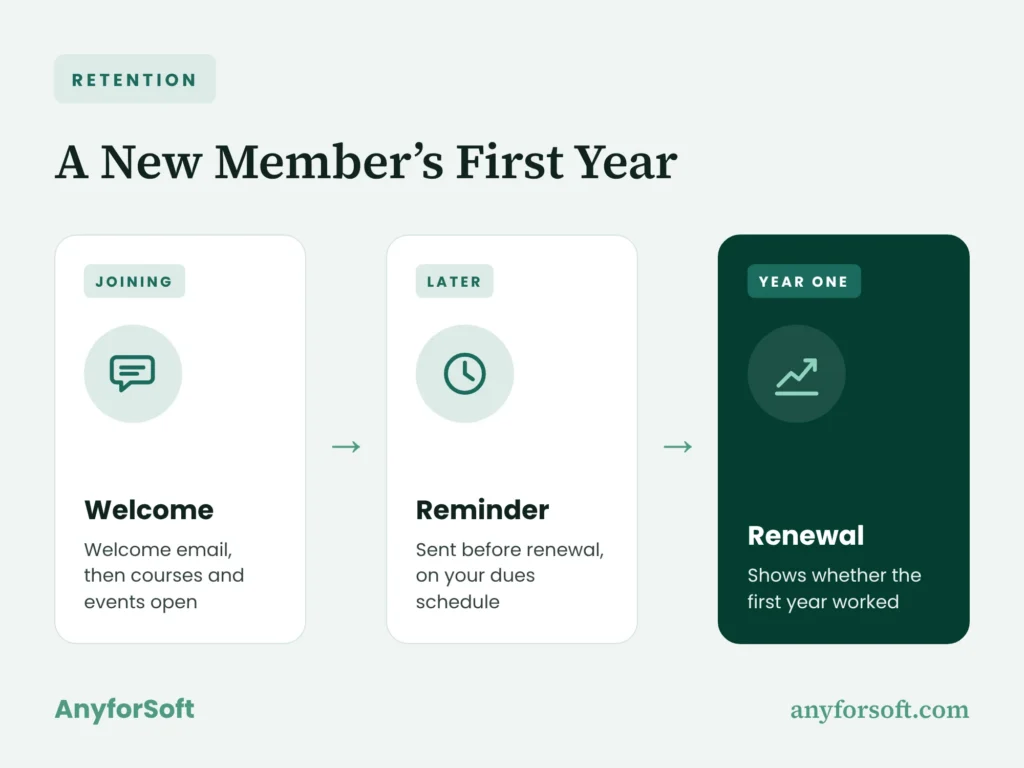
The AMS also shapes member retention. Almost everything in a new member’s first year passes through it, from the welcome email to the reminder that comes before renewal. If any of that breaks, you’ll see it in your renewal rate a year later. That stretch of the member experience is a good place to aim your questions during vendor demos.
What Types of AMS Platforms Can Associations Choose From?
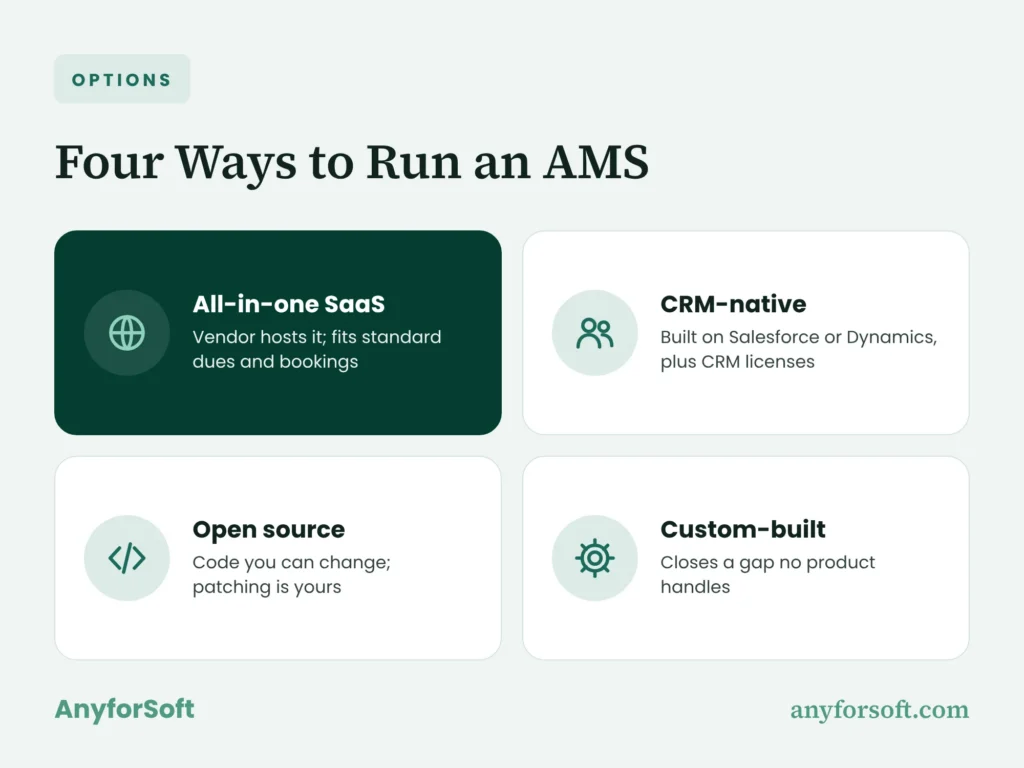
Choosing an association management system involves three decisions: how many functions come in one product, who hosts it, and how much you’ll build yourself. The categories overlap. A CRM-based product, for example, might be sold as a hosted subscription.
All-in-One SaaS Platforms
The supplier hosts a cloud-based AMS and charges a subscription for access, a model known as software as a service, or SaaS. It’s often the practical choice when comparing AMS for nonprofits that have standard dues and booking processes and few technical staff. The catch is fit. Built-in settings may not match your rules, and extra modules or connections add to the bill.
CRM-Native Platforms (Built on Salesforce or Microsoft Dynamics)
These products add dues and benefit functions to a customer relationship management, or CRM, platform. If you already use Salesforce, a Salesforce-native AMS deserves a look; organizations on Microsoft Dynamics have similar products built on that platform. When choosing AMS for trade associations, where members often join through their employers, the CRM’s account structure helps track links between people and companies. You’ll still pay for the underlying CRM licenses and need someone with specialist skills to administer the platform.
Open-Source and Self-Hosted Options
With open source, the code is yours to read and change. Self-hosting means your organization runs the installation. The two don’t have to go together. An open-source AMS can just as well run on paid hosting, with a partner keeping an eye on it. You get more control, and you also inherit the patching, the backups and the upgrades. It works for teams with their own technical people, or with a partner who’s on the hook for security and uptime.
Custom-Built AMS
A purpose-built application is worth assessing when no existing product can handle an essential rule, even with its supported settings and reasonable extensions. To build custom association management software, you’ll budget for the initial build and ongoing upkeep. After launch, your own staff or a technical partner will own every change. The value comes from closing that specific gap at a cost you’re prepared to carry.
How to Choose AMS Software: A 7-Step Selection Process
A sound shortlist grows out of the work your team does. Over seven steps, that work turns into needs you can write down and proposals you can actually compare. Every step hands something to the next. By signing day, you’ll know which assumptions nobody has tested yet.
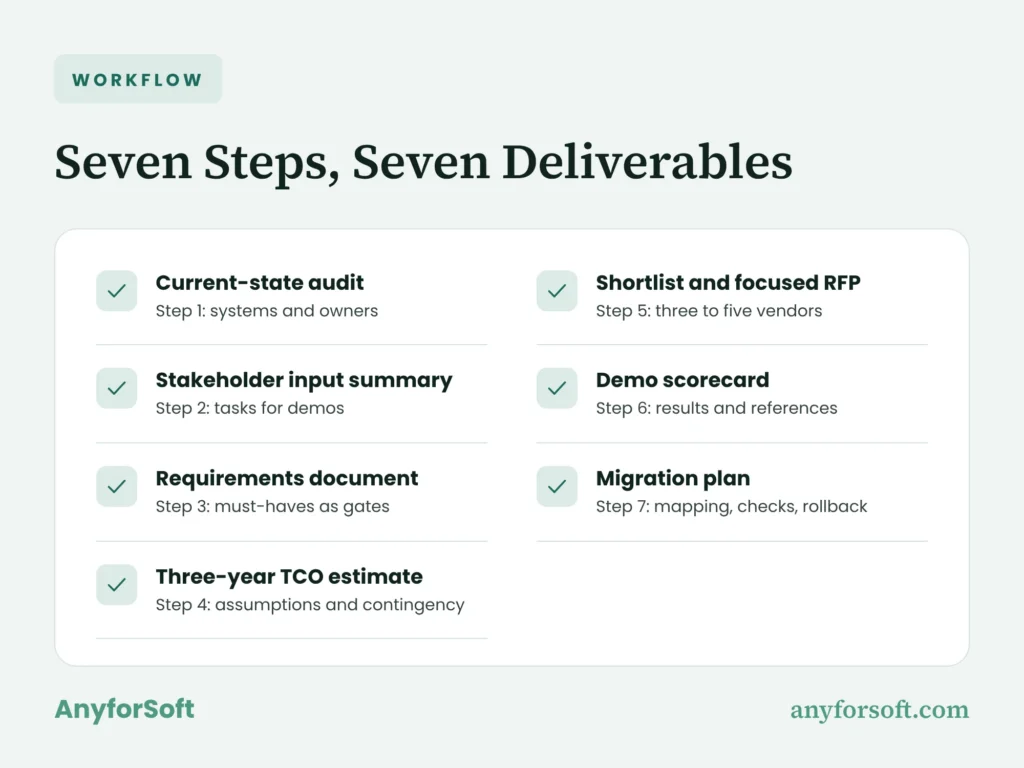
Step 1: Audit Your Current Systems and Pain Points
Start by drawing a map that puts your association management system next to the website, the finance tools and whatever runs your courses. The map shows who owns each record and where colleagues copy details by hand.
A needs analysis then sorts the problems into missing functions, settings nobody uses, and connections that fail. Engineers follow up with a software audit to find the technical cause of each one. To set a baseline for staff productivity, finance can log the hours spent correcting duplicate entries over a normal dues cycle. The audit may also show that repairing your current AMS is enough.
AnyforSoft brings 15+ years of engineering experience to discovery and technical review. The current-state audit captures the connections, record owners, and problems ranked by their effect on daily work. Your colleagues can then decide which problems are worth a replacement, long before anyone drafts a feature list.
Step 2: Gather Input from Staff and Members
Talk to the people who deal with exceptions. They usually know where things stick. Finance sees refunds and overdue balances; education staff see access and credit-record problems. Membership, events, and IT colleagues bring other parts of the picture, while members use the screens you’re evaluating.
A few short interviews, plus watching people do real tasks, give everyone the same picture of the member experience. Ask about delays, about the help requests that keep coming back, about barriers for members with disabilities. A feature wish list misses those problems.
Write a short project charter before vendors join in. It names the goal, who decides, how much staff time you have and what success looks like. Bring representatives from each team into the demos, too. That’s how you earn stakeholder buy-in. Each of them gets a few tasks from the interview notes to check while the vendor presents.
Step 3: Document Must-Have vs. Nice-to-Have Requirements
Before you weigh the extras, your association management software requirements have to say what the product must do. A list of module names won’t settle that.
Each entry in the requirements document names the person who will check it and describes what a successful result looks like. One way to sort must-have vs. nice-to-have features is to walk through a couple of real processes. Follow one payment, say, or one member getting into a course, and write down every function it touches.
On Reddit, a user who said they work in association management asked for software that opens group access as soon as an invoice is paid. It had to work for individual members and for group ones. For a need like that, the acceptance check follows a paid invoice all the way to the right benefits for the right people. Must-haves decide who stays in. Nice-to-haves only help you rank whoever’s left.
Step 4: Set a Budget Based on Total Cost of Ownership
Price everything over three years and the offers become comparable. That estimate covers the license alongside the work of preparing records, connecting tools, training colleagues, and keeping customizations working after launch.
The forecast includes:
- setup and configuration;
- record preparation and transfer;
- connections, upgrades and the technical care after launch;
- internal time, training, and exit assistance.
When you add contacts, staff accounts, transactions, or paid modules, the assumptions behind the quote change too. The association management software cost includes that surrounding work as well as access to the product.
Write those assumptions into the estimate, along with what’s excluded and a contingency. A cheap quote looks different once you see how much of the work your own staff would still have to do.
Step 5: Build a Shortlist and Send a Focused RFP
Three to five names is a good size for your vendor shortlist. That’s enough to compare closely. A vendor stays on the list if it can meet your must-haves with the tools and people you have today.
A focused request for proposal (RFP) gives you answers you can line up side by side. A good association management software RFP asks about your key scenarios and about who does the work. It also asks what each price assumes and which milestones lead to launch.
Generic 200-question templates are long and mostly beside the point. If an answer couldn’t change your decision, cut the question. Suppliers should mark each item as included today, configurable, extra development or just planned. Give them one response format to fill in, or your team ends up decoding five different sales pitches.
Step 6: Run Scripted Demos and Check References
In a scripted demo, each shortlisted supplier walks through your chosen tasks during your association management software evaluation, using anonymized samples of your own member records. Extra licenses and manual steps then show up during the demo, before you sign.
Good scenarios test different rules: a company buying five memberships for its staff, a lapsed member renewing, a refund reaching finance. Colleagues should see the result on both sides, in the admin screen and in the member’s view. For courses, the check follows eligibility through to access, with each staff member limited to the actions their role permits.
For reference checks, customers of similar size and complexity tell you more than a familiar logo. They can speak to rollout, upgrades, unresolved gaps, and response times. A demo scorecard captures what you saw, what’s still unanswered, and what those customers report.
Step 7: Plan Data Migration Before You Sign
Before signing, you should know what leaves the old AMS: records, linked history, files, and the IDs that hold related accounts together. A flat list of names isn’t enough.
The plan for data migration matches old fields to their new destinations and names who approves the result. CiviCRM’s test-import and field-mapping guidance shows why a small representative batch comes first. You check counts, balances, and linked histories before moving the remaining records.
Put data export formats and fees in the contract, along with exit help, service levels and who does which part of the work. The transfer itself needs pass/fail rules. If the checks fail, you roll back to the old AMS. And try not to schedule the switch in the middle of renewal season.
What Features Should a Modern AMS Have in 2026?
A list of association management software features becomes useful when it follows everyday transactions. Five areas cover most daily transactions, and each ties a capability to something staff can test in a demo. Email marketing needs a home too. It can live in the AMS or in a tool connected to it.
Membership, Dues, and Renewal Management
How membership dues and renewals work depends on your fee schedules and membership tiers. A demo should follow a member who lapses, pays, and gets their status updated, all the way to restored access. It should also cover any grace period you offer.
A successful charge can still leave benefits locked if the status update fails. So ask to see the member’s screen right after the payment goes through. Have staff fix that case live, and you’ll see what the system does on its own and what still needs a person.
Event and Meeting Registration
Eligibility, prices, and available seats have to stay in sync throughout event registration. Anyone can show a finished sign-up screen. Ask for a group booking, then cancel part of it. You’ll see who keeps access, how the refund goes through and whether the seats go back to people on the waiting list. Through all of it, the attendee should know where they stand.
Continuing Education and Certification Tracking
A buyer comparing AMS for professional associations needs to see course completions land in the right credential cycle. Paid courses bring in non-dues revenue, and continuing education credits are recorded against each learner’s account. The AMS stores the result, while continuing education software handles the specialized learning and credential tasks. A walkthrough should show the learner’s updated record after completion, including the date and the credit type your rules recognize.
Member Portal and Online Community
On a phone, a member should manage to update details and pay an invoice with no one from your staff on the line. Community permissions should follow membership status.
Once an account lapses, access to discussions and paid benefits should close by itself. Nobody on staff should be switching permissions off one by one. A job board, if you have one, needs its own rules about who posts and who views.
Payments, Accounting, and Reporting
During payment processing, you should be able to follow any transaction from the receipt to the ledger. Try it with a refund. Trace it through the AMS and then through your accounting tool, and rounding, fee or timing gaps show up fast.
Payment confirmations sometimes arrive twice. The AMS should still record one transaction, or finance ends up chasing a receipt that never existed. And when the totals disagree, reporting dashboards should let finance trace the balance back to individual transactions.
How Do You Compare Vendors? 5 Evaluation Criteria That Matter
A weighted scorecard gives your association management software comparison a shared basis in what you observed. Must-haves come first: a candidate that fails one doesn’t advance until the gap is resolved, whatever its total score.
| Criterion | Example weight | Evidence to request |
| Connections | 25% | A complete exchange with error handling |
| Capacity | 15% | Performance at expected peak activity |
| Security and control | 25% | Relevant reports and contract terms |
| Ease of use | 20% | Staff and member task completion |
| Ongoing care | 15% | Named responsibilities and commitments |
The weights total 100%; your own priorities should set the final split.
Integrations and Open APIs
Your evidence for association management software integration should show which fields move, in which direction, and who fixes failed exchanges.
An API, or application programming interface, lets programs exchange records. An open API is one the vendor documents so your developers or other tools can connect to it. Even a ready-made connector still needs someone to maintain it.
For QuickBooks integration and CMS/website integration, agree in advance which fields sync and how often.
Course access and completed credits travel between the AMS and learning tools through LMS integration. Single sign-on (SSO) lets a member open linked tools with one login. A shared login doesn’t mean course and dues records are in sync, though. For CRM and other connections, the proposal should name the person who handles failed exchanges and rechecks them after upgrades, and say who pays any extra fees.
Scalability as Your Membership Grows
Peak demand means members booking, paying, and searching while staff work in the AMS. A higher contact allowance doesn’t tell you how quickly those tasks finish.
A focused proof of concept turns an uncertain requirement into a pass/fail test. Note how many records were loaded, which tasks ran at once, and what settings were used. You can then judge how closely the trial matches your busiest day. Growth also raises questions about fees and staff effort, including whether the next jump in volume calls for a different technical setup.
Data Ownership, Security, and Compliance
You need control over the personal information you store, and evidence of protection that fits how you’ll use the AMS. Privacy rules, card security, and assurance reports each answer a different question:
- GDPR (the EU’s General Data Protection Regulation), if it applies to you: the controller–processor contract guidance explains who is responsible for what;
- PCI DSS (the card industry’s security standard) for card payments: PCI SSC’s guidance on outsourced payments explains what stays your responsibility when a provider handles payments;
- SOC 2, an independent examination of how a service organization protects information: AICPA’s description criteria help you check which services and time period a report covers.
The walkthrough should also show role-based access and an audit trail for sensitive changes. A compliance badge on a vendor’s website doesn’t replace reading the actual report and your contract.
Usability for Staff and Members
Watching someone renew a membership or look up their credit history gives you direct evidence of the member experience, including where people get stuck.
Count staff effort in the comparison, along with access for people with disabilities. Keyboard navigation and an accessible login are concrete checks backed by WCAG 2.2 accessibility guidance. Write down what people finished, where they slipped and how often they needed a hint. Finishing alone and finishing with someone at their elbow are two very different results.
Vendor Support and Product Roadmap
You should know who answers when the product stops working, how quickly they reply, and what happens when a fault involves two tools. Service hours and escalation routes show who responds. For availability, an uptime SLA, or service-level agreement, puts the commitment in writing.
A reply isn’t a repair. Alongside response times, the proposal should say who fixes faults, trains staff, and keeps upgrades working. Roadmap items deserve the same care: a planned feature doesn’t work in your AMS today. Decide on what’s released and what’s in writing. Anything still to come needs a named owner.
What Red Flags Should You Watch for When Choosing an AMS?
Knowing how to choose AMS software also means catching risks while you can still walk away. Many of them show up in the written terms, which is also where avoiding vendor lock-in starts:
- Unclear exit charges. Getting your records back should have a defined scope, format, timetable, and cost.
- Demos that skip your scenarios. A standard presentation leaves your essential rules unproven.
- Growth pricing without a worked example. A per-contact model needs a realistic forecast of what you’ll pay as the organization grows.
- Customizations that break after upgrades. Someone must own compatibility checks and the cost of repairs.
- No comparable references. A happy customer with different needs tells you little about your planned setup.
- Dates without accountable owners. A launch promise needs named leads, dependencies, and acceptance points behind it.
Any pricing model can work. What matters is that the contract spells it out. You need to know what you’ll pay as usage grows and how you get your records back, and someone has to own the work that falls between two suppliers.
How Is AI Changing Association Software in 2026?
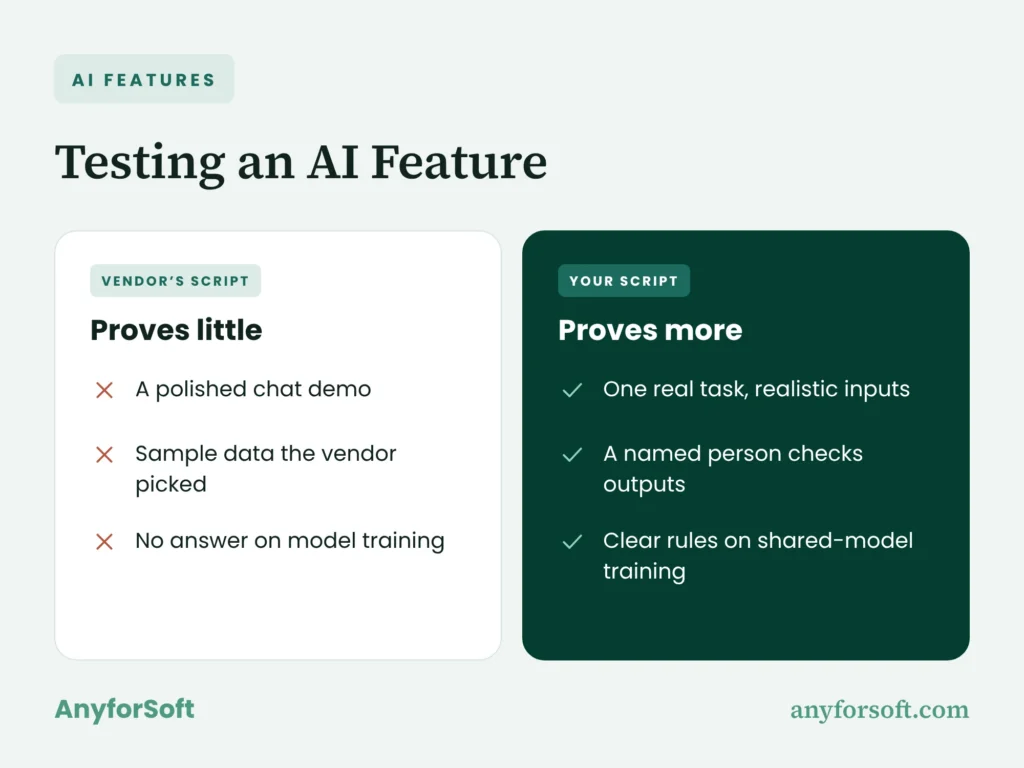
AI belongs in the buying discussion when it helps with a task your staff actually handle. ASAE’s research on association AI use came out in March 2026. Most associations, 87.5%, were using AI for content work, while 44.3% used it with data. So when a vendor shows you its AI, ask for one real task with realistic inputs, and ask who checks what comes out.
AI-Driven Member Engagement and Renewal Prediction
A score earns its place when it helps staff decide whom to contact. AI member engagement scoring draws on activity histories, and renewal and churn prediction adds past renewals and departures.
A useful trial feeds the model older activity records and asks it to predict a dues cycle whose outcome you already know. Comparing the flagged accounts with the members who actually left shows both missed warnings and false alarms. False alarms matter because staff spend time chasing members who were likely to stay. Members with little activity history need a separate check, since the model has less to go on.
The supplier should explain who reviews an alert, who can override it, and who approves the next action, in line with NIST’s AI risk-management guidance. That conversation should also cover whether your records train models shared with other customers, and how permissions apply.
AI Assistants for Member Self-Service
Routine help works best when each answer leads to the right next step. Whether an AI chatbot for member self-service actually resolves a request depends on two things: approved sources, and a clear route to a staff member.
A good walkthrough covers a routine request, a question about an outdated policy, and a question outside the tool’s scope. Staff should also show how they update a source or correct a wrong reply. Check which account details the assistant can read, too. Being a chat tool doesn’t justify broader access to member records.
Personalized content recommendations need a defined benefit for members to be worth adding. Ask what data feeds the suggestions and whether it trains shared models. Staff also need a way to review suggestions or turn them off.
AI-Assisted Data Clean-Up Before Go-Live
AI-assisted data cleansing is good at spotting likely duplicates and odd values before launch. Still, two similar names might be two different people. Reviewers look at payment and credential histories before anything gets merged.
Holly Rice, director of CRM and analytics at the Infectious Diseases Society of America, ties AI success to clean records, clear processes, and leadership in her guidance on AI readiness. Her warning: “If you skip them, you’ll automate problems you didn’t know you had.”
Keeping the original records and a change log helps reviewers check data accuracy and reject a wrong merge. Before sending a file to an AI service, reviewers should confirm where it will be stored and whether its contents train shared models.
AnyforSoft Projects: Education Portals, AI, and Integrations
Delivered work shows how a technical partner handles the tasks you’re evaluating. One AnyforSoft education project connects a learning platform to a CRM in both directions; another is an AI assistant that answers only from approved content.
Two-Way Data Exchange with Salesforce
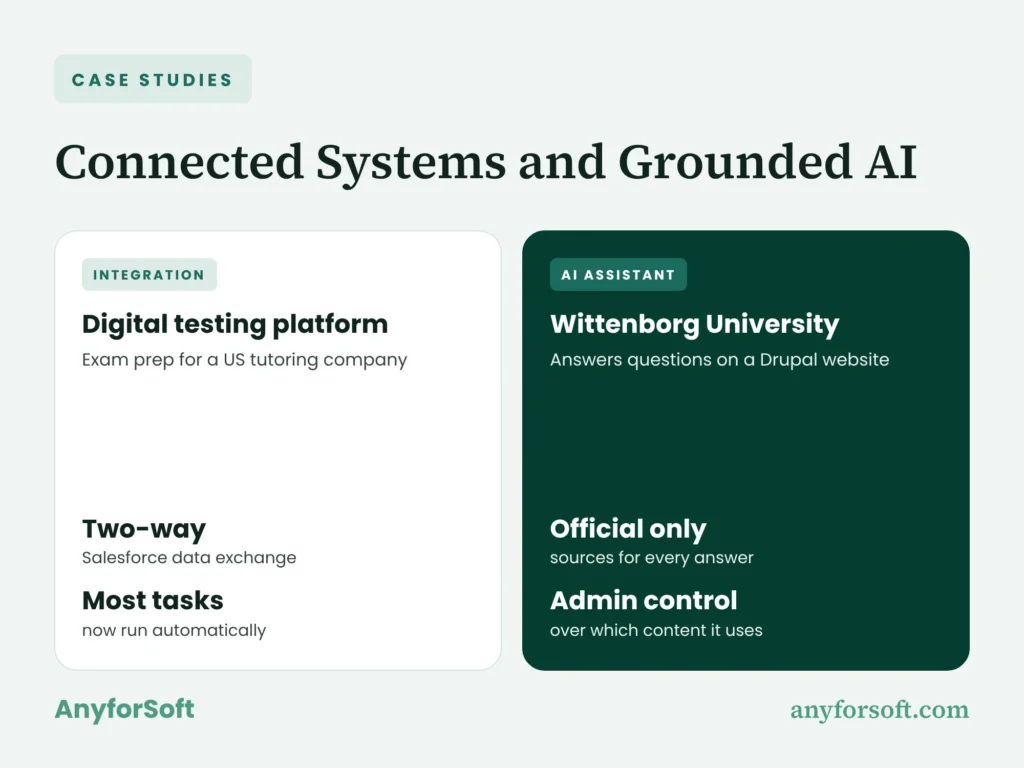
A US tutoring company wanted to move its exam-preparation process online. AnyforSoft built a testing platform with separate tools for:
- students taking practice exams;
- proctors and administrators managing sessions and records.
The platform sends data to Salesforce and pulls it back through a two-way Salesforce integration that follows predefined rules. Most tasks the company used to handle by hand now run automatically. For associations, it’s a working example of role-specific processes connected to a CRM.
Website-Native AI at Wittenborg
Wittenborg University of Applied Sciences wanted to answer applicant and student questions directly on its website. AnyforSoft built an AI assistant on Drupal that works with:
- official university pages and documents as its only sources;
- a scope limited to university topics, with administrators controlling which content it can access.
Wittenborg’s website-native AI assistant answers from that approved content, and its answers update when university information changes. Associations considering a member chatbot face a similar decision: which sources the tool uses and who controls them.
Why Do Associations Work with AnyforSoft?
AnyforSoft is an EdTech partner working across learning platforms, portals, and the tools that connect them. That combination matters for continuing education, where a course purchase on your website has to reach the CRM and open access in the learning platform.
15+ Years of Engineering Experience
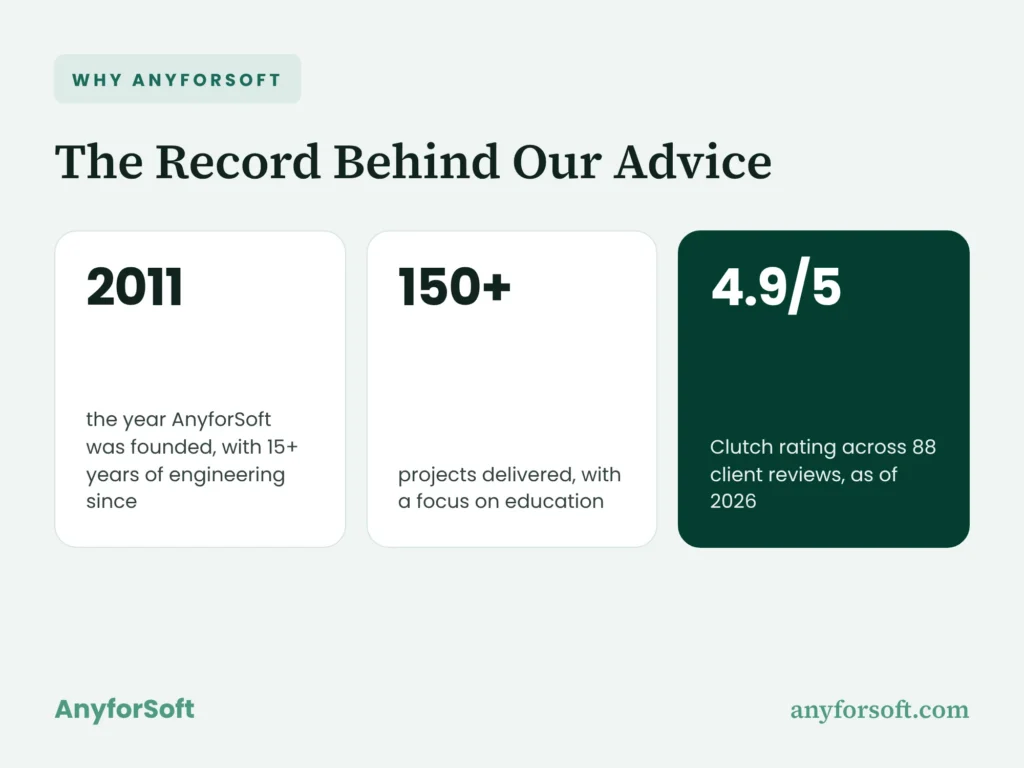
Founded in 2011, AnyforSoft brings 15+ years of engineering experience and has delivered more than 150 projects. In the discovery phase, engineers trace how information moves between your tools and identify the daily tasks that must keep working. Your existing setup and unmet needs then shape the proposed engineering scope.
Audit and Discovery Support
A review starts with the tasks staff and members are trying to complete. AMS consulting follows those tasks across your existing tools and looks at the options for closing each gap. Improving a suitable AMS is on the table alongside replacing it. You leave with a clear picture of what each route would involve.
Custom AMS Development and Integration
Some needs fit an existing AMS with supported settings and a connector. Others justify custom engineering around a significant gap, with clear ownership after launch. AnyforSoft’s custom AMS development and AMS integration services cover both routes. The scope lists what gets built and what stays as it is. It also names who maintains the result.
AI-First Engineering Approach
AnyforSoft uses AI-assisted engineering under human direction and review. Wittenborg’s website-native AI assistant is one example of that work running in production. AnyforSoft is reviewed on Clutch, where 88 client reviews average 4.9 out of 5 (as of 2026). For any proposed AI feature, the scoping names its data sources and the people who review and maintain it.
Flexible Engagement Models
Your staff’s available time helps determine the working arrangement. A defined project covers a bounded build; ongoing care keeps repairs and improvements moving after launch. Engineers working as a dedicated development team stay involved across the roadmap. Either way, your staff know up front what’s theirs to own and what stays with the partner.
Frequently Asked Questions
How do you choose the right AMS for your association?
Deciding how to choose association management software starts with your essential tasks, each with a clear pass/fail condition. Each candidate then demonstrates those tasks on identical examples. Written cost assumptions show what each offer covers. And the contract needs a named owner for the data transfer, the checks and the care after launch.
What is the difference between an AMS and a CRM?
A CRM keeps track of relationships and every contact you’ve had with people. An association management system also covers dues, benefit eligibility, and credentials. The two categories overlap: some member management software runs on a CRM foundation, while custom CRM development extends relationship processes where an off-the-shelf product leaves a significant gap.
What should an AMS RFP include?
A focused RFP includes:
- your organizational context and essential scenarios;
- existing connections and the scope of the data transfer;
- questions on delivery ownership and cost assumptions;
- a shared response format.
The most useful part is the split you ask suppliers to make. What’s included now, what’s extra work, what’s only promised. Then you know what each quote really covers.
How long does it take to select and implement a new AMS?
Picking the product is one timeline. Getting it running is another. A believable estimate is built from the actual work, like preparing records, connecting tools and checking the results. Your staff’s free time shapes both. If every milestone has an owner and a pass/fail check, you can tell whether the launch date is real.
How much should an association budget for a new AMS?
The license is only one line. You’ll also pay for configuration, preparing records, connections, training, staff time and care after launch. Add what growth would cost, and what leaving would cost. A full cost breakdown shows how to tell which of those a quote covers and which you’ll fund yourself.
Should an association buy an off-the-shelf AMS or build a custom one?
Start by testing a commercial AMS against your essential tasks. If there’s a big gap, an extension or a purpose-built application might be worth it, and our build guide explains the work involved. The SaaS vs. self-hosted question is different. It’s about who hosts and runs the system, which you decide separately from buying or building.
How do you migrate member data to a new AMS without losing records?
Good data migration needs the source records kept intact, IDs that don’t change, and relationships mapped out. A trial batch comes first, and balances, history and linked accounts should come through it unchanged. Totals get compared before anyone switches over. Keep the original AMS available as a fallback until the transferred records pass those checks.
Which integrations should an AMS support?
The ones your team already depends on, whether that’s learning, finance, the website, logins, email or payments. Every connection has to carry the right data, in the direction you agreed. Your staff also need to know who maintains it and who fixes failures after an upgrade.
Can AI speed up AMS selection and data migration?
Yes, within limits. AI helps organize written requirements, compare vendor responses, and flag records that need review. People still verify vendor claims and approve changes to stored data, because speed alone doesn’t make the result right. Your project lead signs off on suppliers. Sensitive changes to records go to the staff who own them.
What AI features should you look for when choosing an AMS?
Look for features that solve a defined task, with good input data and staff controls. Take generative AI for member communications: it’s useful as long as someone reviews each message before it’s sent. Ask the vendor to show it on real examples, including one where it gets the answer wrong and staff fix it. Access controls matter as much as convenience.