









AI-Assisted Quiz Creation: A Concept Vision for Online Course Platforms Like Podia
Podia is a trademark of Podia Labs, Inc. Used here for identification purposes only. AnyforSoft is not affiliated with, endorsed by, or sponsored by Podia Labs, Inc.
CHALLENGEQuiz creation takes time that could go toward higher-value work
On course hosting and community platforms, creators build lessons and quizzes within the same course structure. Podia works this way: video, audio, text, and quiz lessons all live inside a single course, so writing a lesson and building its quiz happen in the same place.
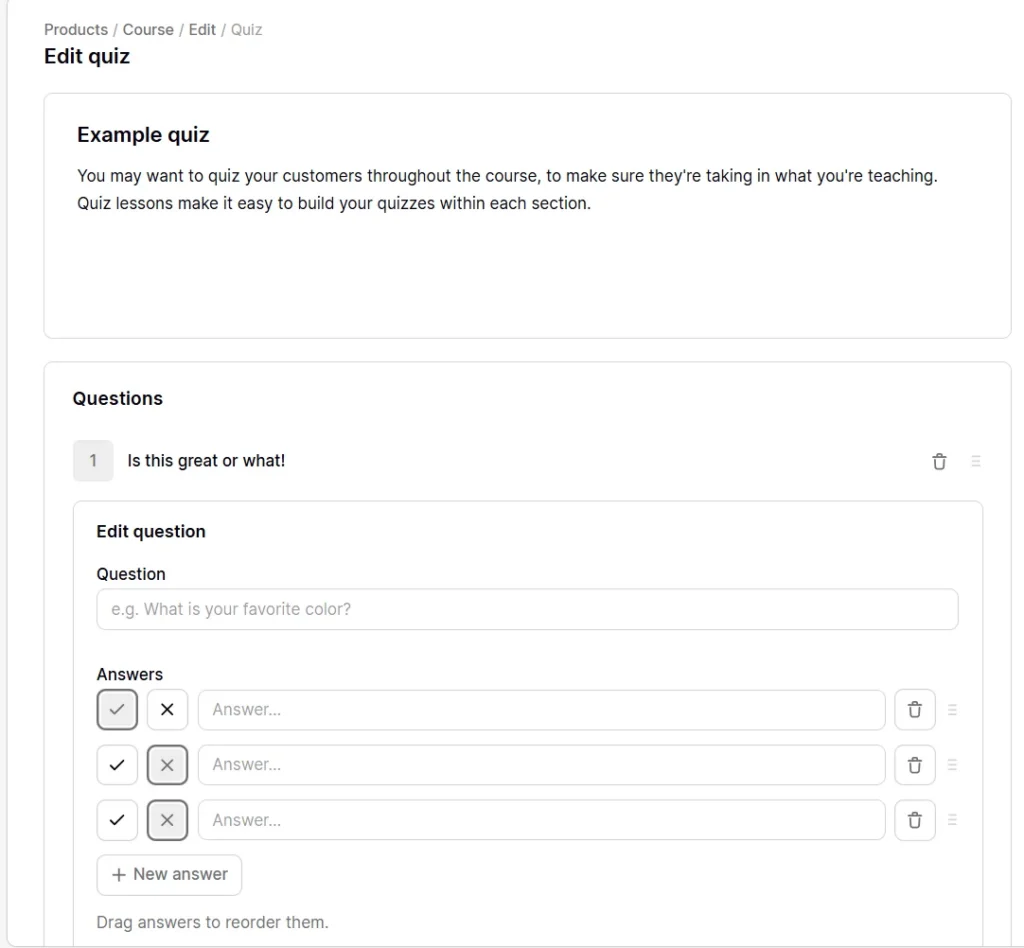
Turning lesson content into a quiz, though, means opening a blank quiz editor and writing every answer from scratch.
Every question is written manually. Creators have complete control over how they build each quiz, but shaping good questions from scratch takes time and effort.
SOLUTION A concept for an AI assistant that drafts, and a tutor who decides
The concept follows patterns common to course-platform quiz editors. The concept core idea is that AI fits into a tutor’s existing workflow.
1. Suggesting where a quiz could help
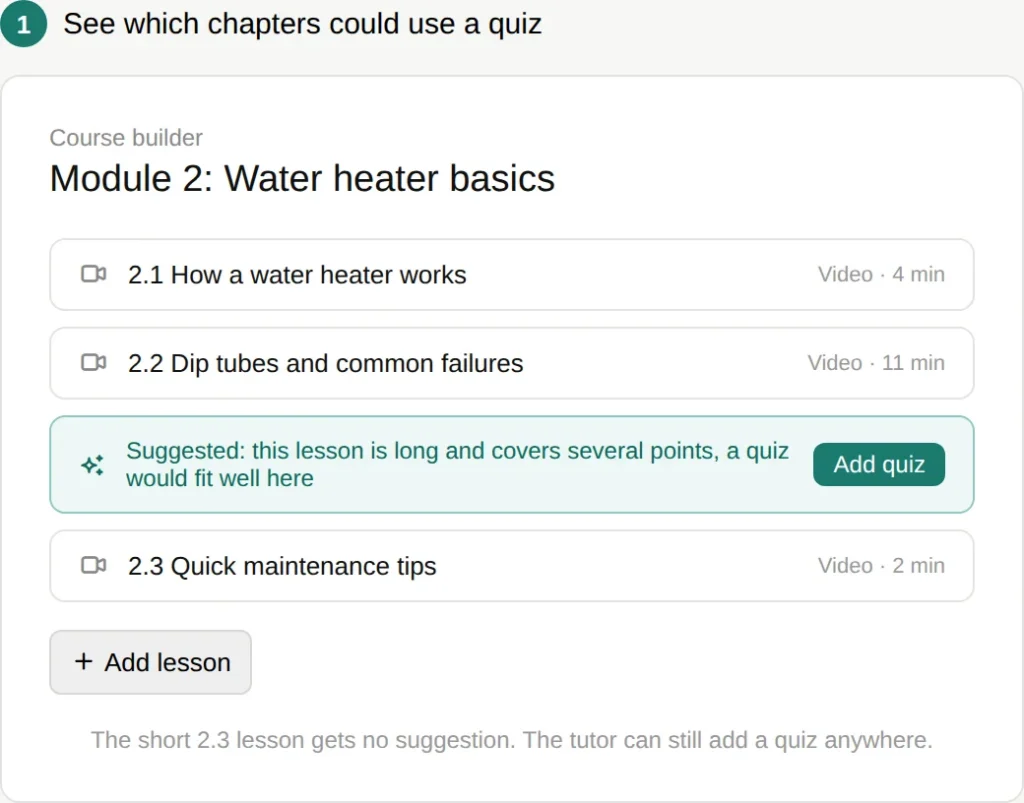
On platforms like Podia, tutors decide where to place a quiz. Our concept prepares suggestions on where to add the quiz to save tutors’ effort.
The AI looks at each lesson’s length and content. Long or dense lessons get flagged as good quiz candidates. The tutor can still add a quiz anywhere.
2. Choosing how to build the quiz
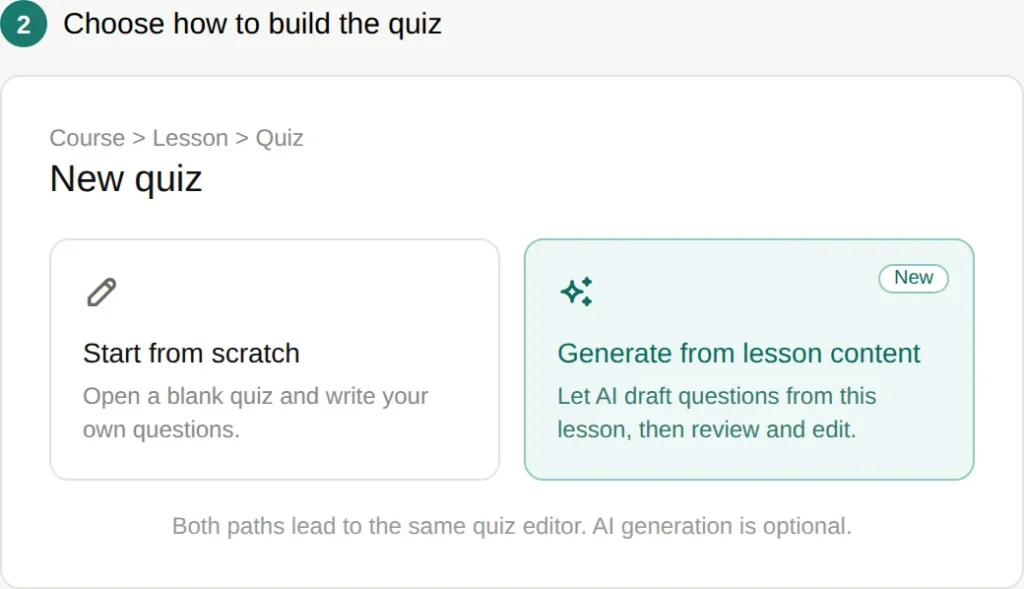
Once a chapter is chosen, the tutor picks a path.
They can build the quiz from scratch. Alternatively, they can generate a draft from the lesson’s content.
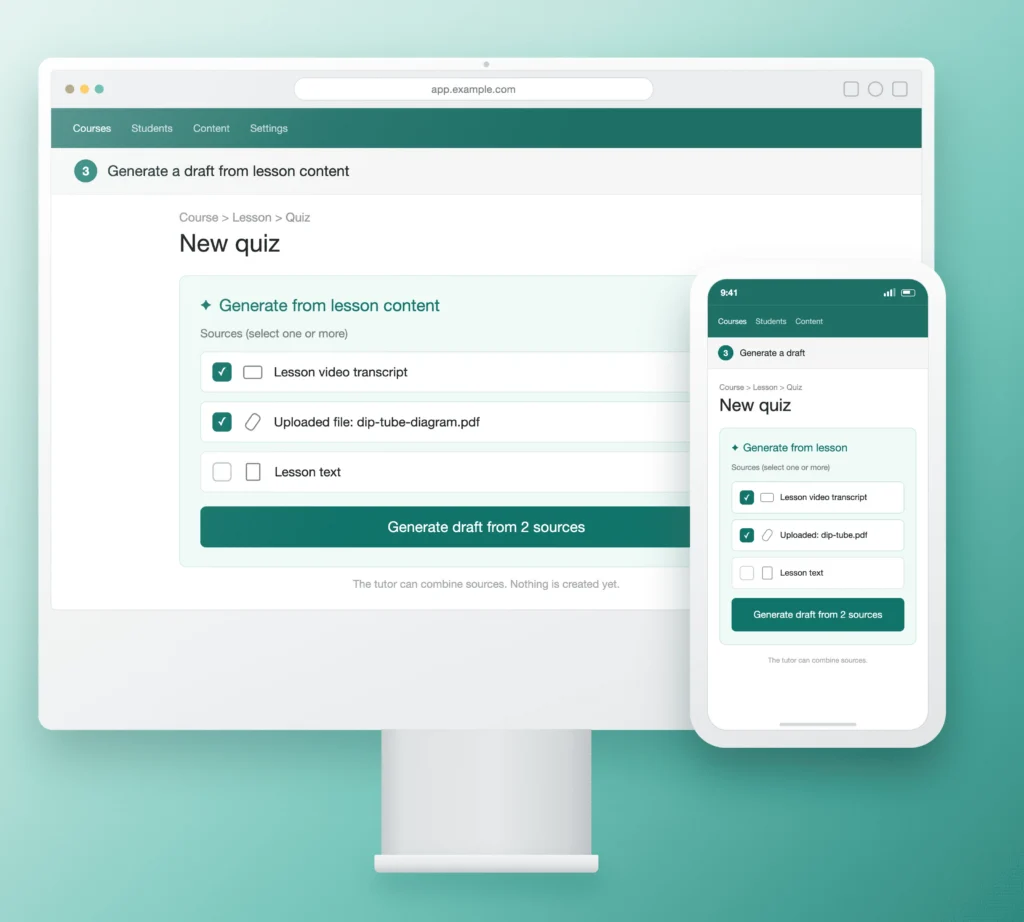
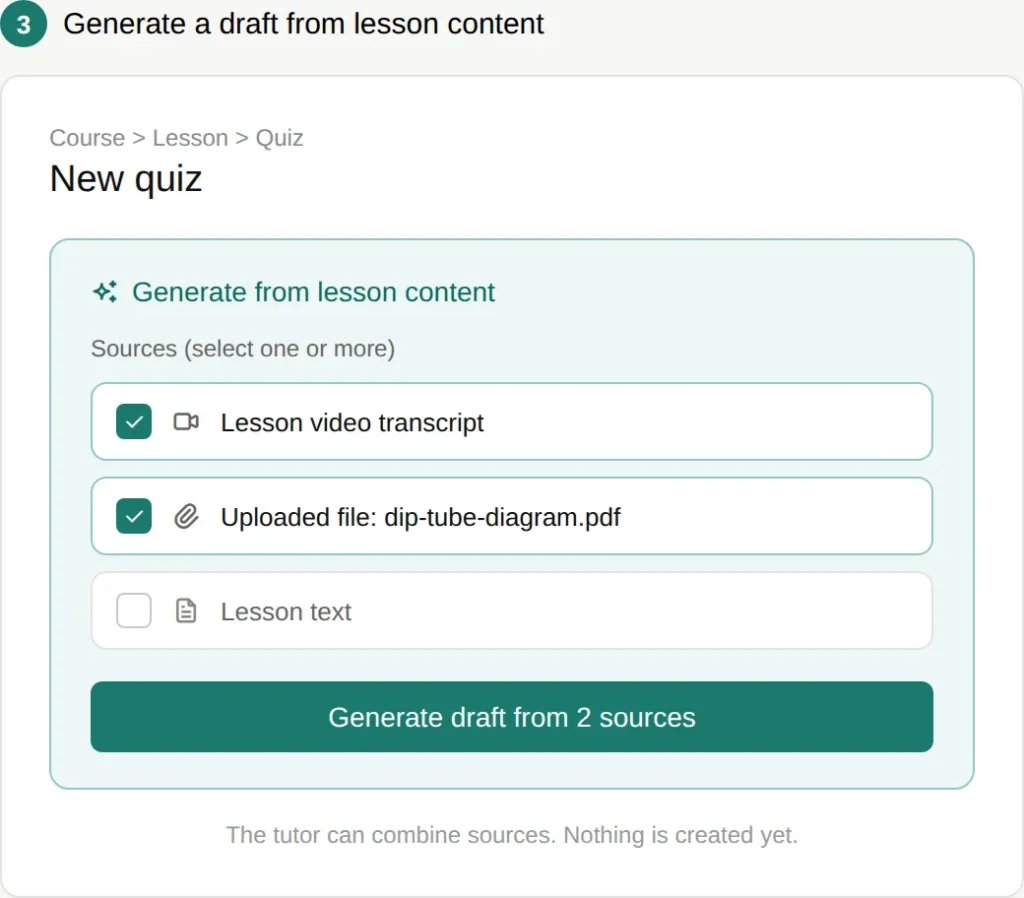
3. Generating a draft from lesson content
The next step is to select one or more sources.
A source can be the lesson’s video transcript, its written text, or an uploaded file. Multiple sources can be combined into a single draft.
The AI then populates the question list, using a layout consistent with what tutors already work in.
Multiple question types
A single question format rarely shows whether a student understood a lesson, or just recognized a familiar word. The concept covers several question types, so a quiz can check understanding in more than one way.
Question types in the concept:
- Multiple choice — one correct answer among several options, best for testing recall of specific facts or terms from the lesson.
- Multiple answers — more than one correct option in a set, used when a lesson covers several valid points, exceptions, or steps.
- True/false — a quick check for a single claim or definition, useful for short knowledge checks between longer lessons.
- Short answer — a brief written response, used when a concept needs the student to explain, not just recognize.
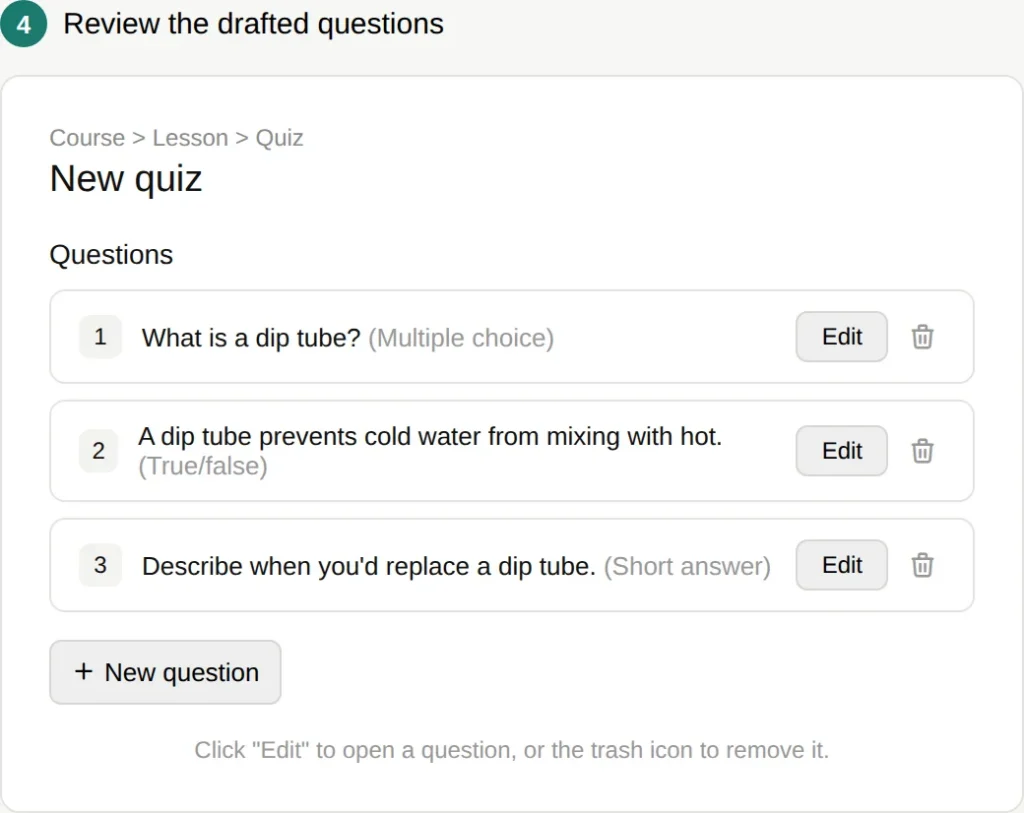
4. Reviewing the questions
Once a draft is ready, or once the tutor starts from scratch, all questions appear in one list. The tutor can edit or delete any question from this list. They can also add a new question manually at any point.
In every case, the tutor has full control over the quiz content, whether it was generated or written by hand.
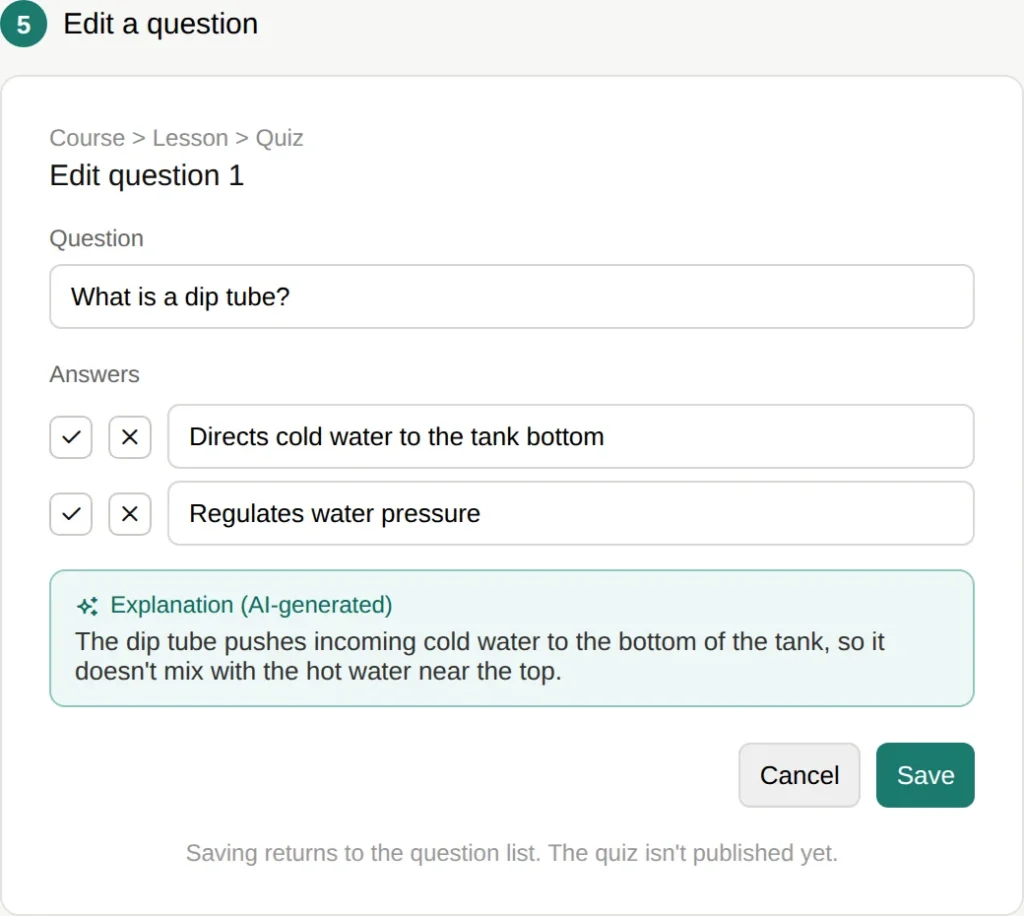
5. Editing a question
Opening a question shows its text, its answers, and an AI-generated explanation. The tutor can change any of it. Saving returns to the question list. Editing a single question never publishes the whole quiz.
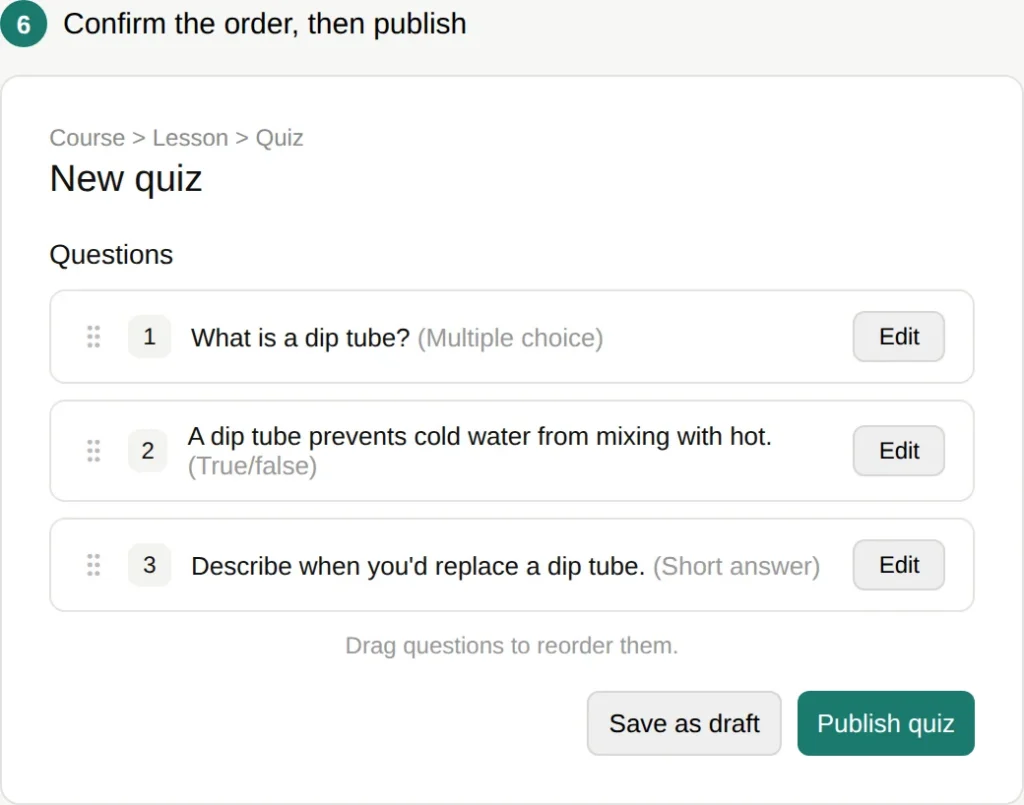
6. Confirming the order, then publishing
Before publishing, the tutor sees the full question list again. This time, they can drag questions to reorder them. Publishing happens once, for the whole quiz, from this screen. The tutor can also save the quiz as a draft.
These outcomes describe what the concept is designed to support, not measured or reported results.
For tutors
- Could reduce the effort spent writing quiz questions from scratch.
- Aims to support more consistent assessment quality across a course.
- Intended to make assessment easier to include as a regular part of course building.
For students
- Designed to offer quizzes closely tied to what a lesson covered.
- Would include explanations alongside answers, not just a score.
For the platform
- Could work alongside existing lesson and quiz infrastructure, rather than as a separate system.
- Lays groundwork for connecting quiz performance to completion certificates, in a future iteration.
FEATURESKey capabilities of the concept
Quiz generation: AI-drafted questions from video, text, or uploaded lesson content.
Multiple question types: multiple choice, multiple answer, true/false, short answer.
Creator controls: Full review and edit before publishing, using the existing quiz editor controls. Auto-suggested quiz placement based on lesson content.
Learning support: Generated explanations alongside each answer.
This is an independent product concept created by AnyforSoft for illustrative purposes.