









When your team is exploring tools for delivering training, you’ll likely run into two big options: LMS vs LCMS.
At first glance, they sound interchangeable. But they’re built for slightly different things.
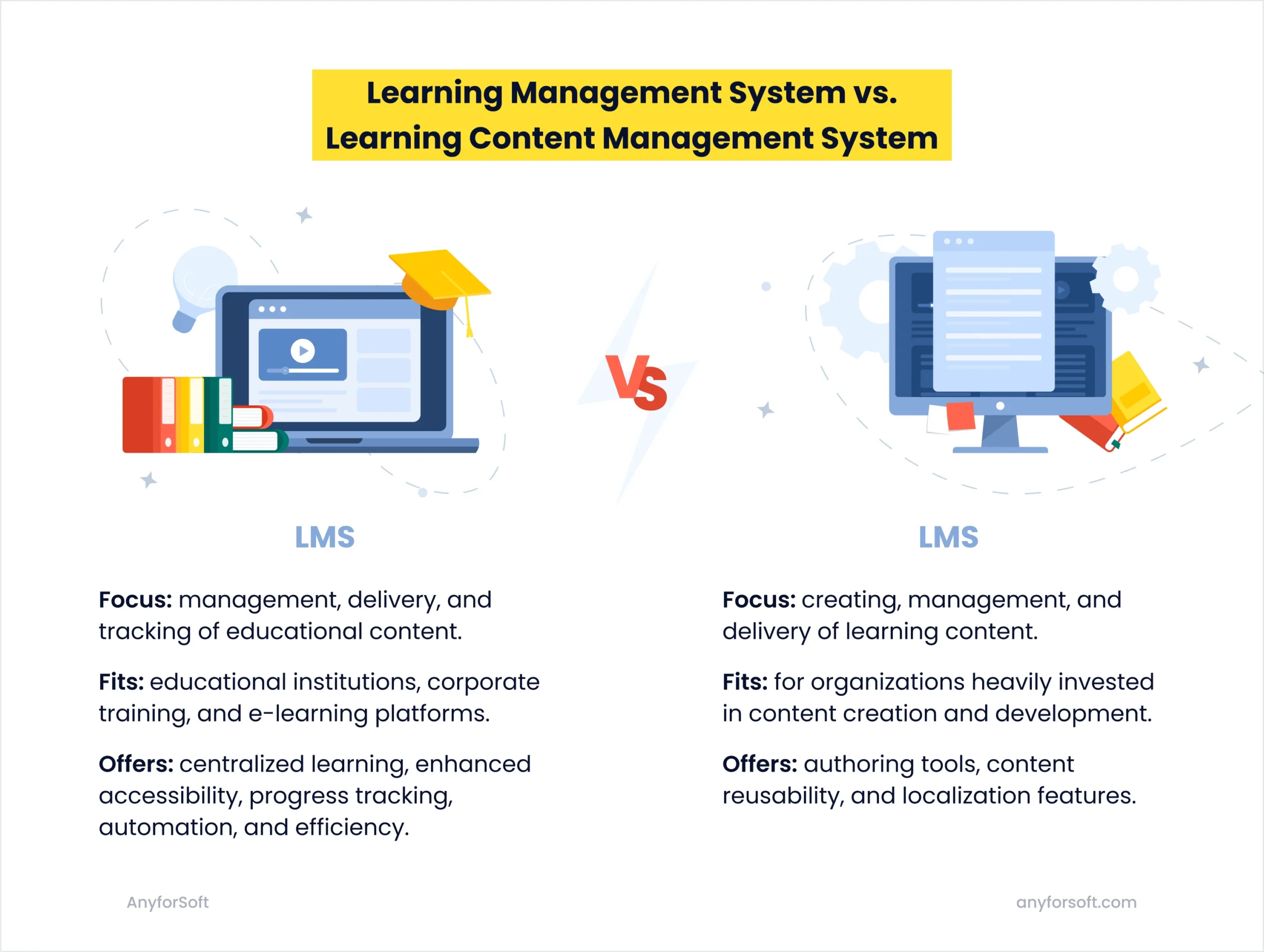
- A Learning Management System (LMS) is your classroom + gradebook + calendar. It exists to deliver training to your learners, track progress, and issue certificates.
- A Learning Content Management System (LCMS) is your content powerhouse. You use it to build training materials.
Sometimes you need both. Sometimes one is enough.
At AnyforSoft, we’ve been in the weeds with both setups — building custom LMS platforms for test prep providers and helping teams avoid “oh no, we bought the wrong system” moments.Let’s get clear on what an LMS does, how it’s different from an LCMS, and how to tell which one you need before you commit to the wrong tool.
What Is the Difference Between LMS and LCMS?
For starters, your LCMS and LMS serve different purposes.
An LMS is designed to deliver online training programs, track learner progress, manage user roles, and generate analytics. This is your front-of-house. The system that makes learning happen – delivering the right content to the right people and monitoring how they engage with it.
An LCMS is behind the curtain. It’s where your team builds the content. Think course creators, subject matter experts, and editors — all working together to draft lessons, review them, update content across courses, and keep everything consistent (and sane).
| Feature | LMS | LCMS |
|---|---|---|
| Primary purpose | Course delivery and learner management | Content creation and authoring |
| Content creation | Basic tools, like uploading PDFs, linking videos, adding quizzes | Advanced authoring tools, e.g., drag-and-drop course builders, content templates, interactive modules, built-in image/video libraries, WYSIWYG editors |
| Content reusability | Minimal — course content lives in silos; reuse means manual copy-paste | High – modular and reusable content blocks. Content is structured into learning objects (text blocks, videos, assessments) that can be reused across courses and auto-updated when edited |
| User management | Built for learners and administrators | Focused on authors, editors, and SMEs |
| Version control | Basic course versioning | Full version history and collaborative editing |
| Collaboration tools | Instructor-learner communication — forums, comments, direct messages | Team workflows — multi-author editing, content review workflows, role-based permissions, approval tracking |
| Analytics | Tracks learner progress — course completions, quiz scores, time spent | Tracks content performance — which modules are reused most, which assets drive engagement, where users drop off |
| Customization | Course structure and delivery | Content design, templates, and localization |
| Integrations | HR systems, CRMs, third-party tools | Authoring tools, media libraries, translation services |
| Mobile support | Learning on the go | Mobile content creation/editing |
| Compliance | Tracks training compliance | Supports approval workflows for content |
| Scalability | Handles many learners | Supports large content libraries and author teams |
For example, you’re rolling out a new onboarding program across five regions.
- Your team uses an LCMS to create a core set of training modules, localized and version-controlled for each region.
- Then, you use an LMS to assign those modules to learners, track completions, and report to HR and compliance.
One builds the content. The other delivers it at scale.
Yes, there is some overlap. Both systems may include features like course management or tracking. But their priorities are different. An LMS is about delivery and user management. An LCMS is about creation and collaboration. So before choosing, ask yourself: do you need to deliver learning or create content?
If your organization needs both, the good news is you can integrate both systems. Or even build a fully customized LMS using flexible technology like Drupal to match your exact content and delivery needs – and scale with you over time.
Read more: Drupal for LMS: How to Create Learning Management System on Drupal
What is an LMS? System Design, Features, and Use Cases
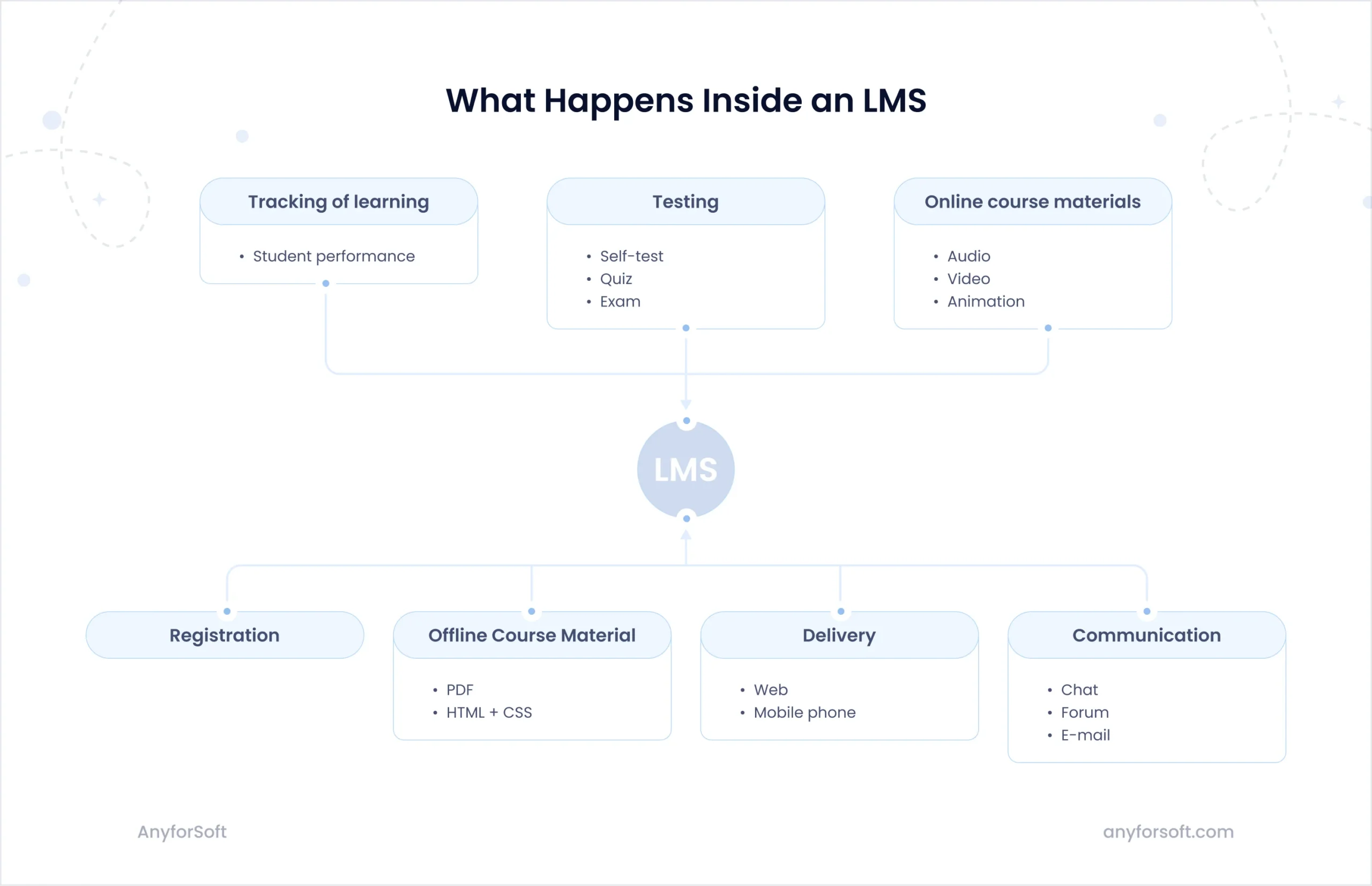
A learning management system (LMS) is a platform that helps you deliver and manage training. It’s where your learners go to take courses, and where your admins go to assign content, track progress, and generate reports.
The typical flow looks like this:
- Upload or add training materials — videos, documents, quizzes, SCORM packages, etc.
- Create structured courses or learning paths — grouped by role, level, or topic
- Enroll users — manually, in bulk, or automatically based on rules
- Learners access the content — self-paced, scheduled, or blended formats
- Track engagement and results — completions, quiz scores, time spent
- Issue certificates or trigger next steps — like follow-up tasks or advanced modules
Important: LMSs are not about creating content from scratch. They make sure the right people get the right content at the right time, and that you have full visibility into how they’re progressing.
Core LMS benefits
- Centralized learning hub: Store all your training materials in one place. Courses, quizzes, videos, documents – it’s all accessible from one learning platform.
- Flexible access: Learners can access content on their own schedule, from any device. This supports self-paced learning and remote education.
- Progress and performance tracking: LMS tools include dashboards and reporting features so admins and instructors can track learner competency, engagement, completion rates, and performance. This helps identify areas for improvement and measure the effectiveness of online training programs.
- Automation for efficiency: Automate tasks like course enrollment, certification, and notifications. This reduces manual work and improves consistency.
Good LMS implementation requires planning, configuration, and training to ensure a seamless transition and system usage across your organization.
Must-have LMS features
Course management: The core LMS feature is to organize courses with modules, multimedia content and assessments. Customize the flow of content for different learner needs and guide their learning journey.
Learner management: Add or remove users, manage roles, and assign content based on learner profiles or team structures.
Communication tools: Enable chat, forums, announcements, and feedback loops to connect learners with instructors and peers.
Assessment and grading: Deliver quizzes, exams, and evaluations with automatic grading and feedback options.
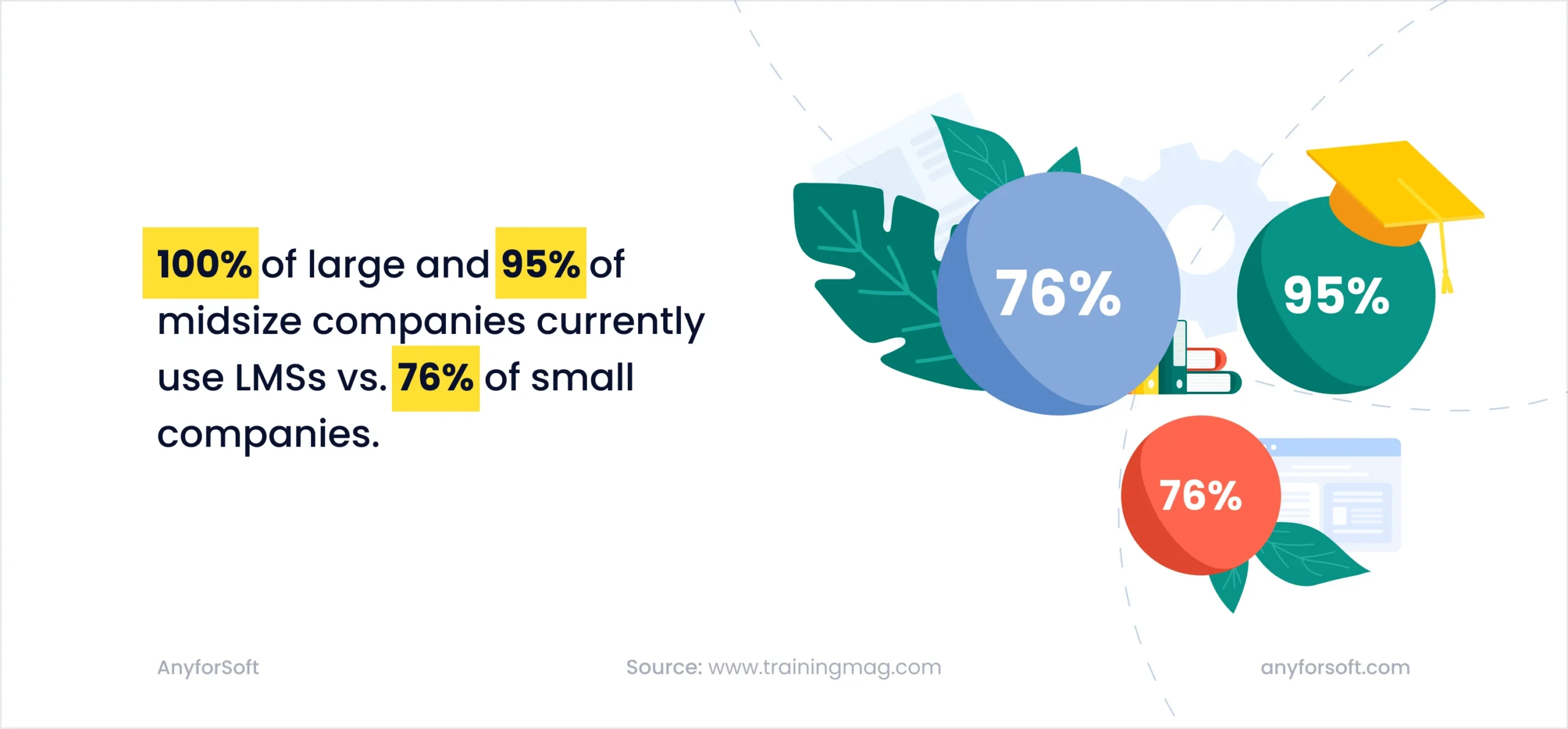
Reporting and analytics: See data on learner behavior, course engagement, and knowledge retention. Use insights to optimize programs.
Mobile learning support: Responsive design or mobile apps so users can learn anywhere, anytime.
Third-party integrations: Connect with your existing tech stack – HR, calendar tools, conferencing apps etc. – to streamline workflows.
Seamless integration: Modern cloud-based LMS systems integrate with HR systems, CRMs, and collaboration tools to build a connected learning ecosystem.
Integrations with collaboration tools, forums, and communication platforms also support social learning so learners can interact, share knowledge, and engage in group activities within the LMS.
Understanding the differences between an LMS and a learning experience platform (LXP) is key to choosing the right solution for your organization’s e-learning initiatives. Read more about LMS vs. LXP in our article.
Who Benefits Most from a Custom LMS?
There are plenty of off-the-shelf LMS platforms to choose from — Thinkific, Teachable, Moodle. They’re built to help you get up and running fast.
But when your training programs grow more complex, your users become more diverse, or your workflows become more specific, a custom LMS gives you the flexibility and control that generic tools can’t.
Here’s who sees the most value in building (or customizing) their own LMS:
- Universities and colleges. Use LMSs to support blended or fully remote learning, giving students access to lectures, assignments, exams, and instructor feedback — all in one place.
Example: A university builds a Moodle-based LMS with a custom interface for hybrid learning. It includes single sign-on with the student record system, custom assignment workflows for arts and engineering faculties, and real-time analytics for department heads. - Corporate training teams. Rely on LMS platforms to onboard new hires, manage compliance training, and roll out skill development programs across departments and countries.
Example: A global logistics company uses Docebo to onboard 1,500+ employees per year, assign mandatory training by role, and track completions across 20 regional offices — all tied into their HR system. - Healthcare institutions. Use LMSs to keep clinical and non-clinical staff up to date on certifications, new protocols, and training requirements in regulated environments.
Example: A U.S. hospital network deploys an LMS to automate training on HIPAA compliance, infection control, and new equipment rollouts — with built-in audit trails for each department. - Government and public sector. Deploy LMSs to train internal staff and offer public-facing programs, from digital services onboarding to community education.
Example: A city council launches an LMS to teach local residents digital literacy skills, offering short, self-paced courses in multiple languages through public libraries and community centers. - Professional associations. Use LMSs to manage member training, continuing education, and certification renewals — often with formal CEU tracking and custom learning paths.
Example: A national bar association uses an LMS to deliver CLE (Continuing Legal Education) modules to 25,000+ members, with automated credit tracking and certification issuing.
What is a Learning Content Management System (LCMS)?
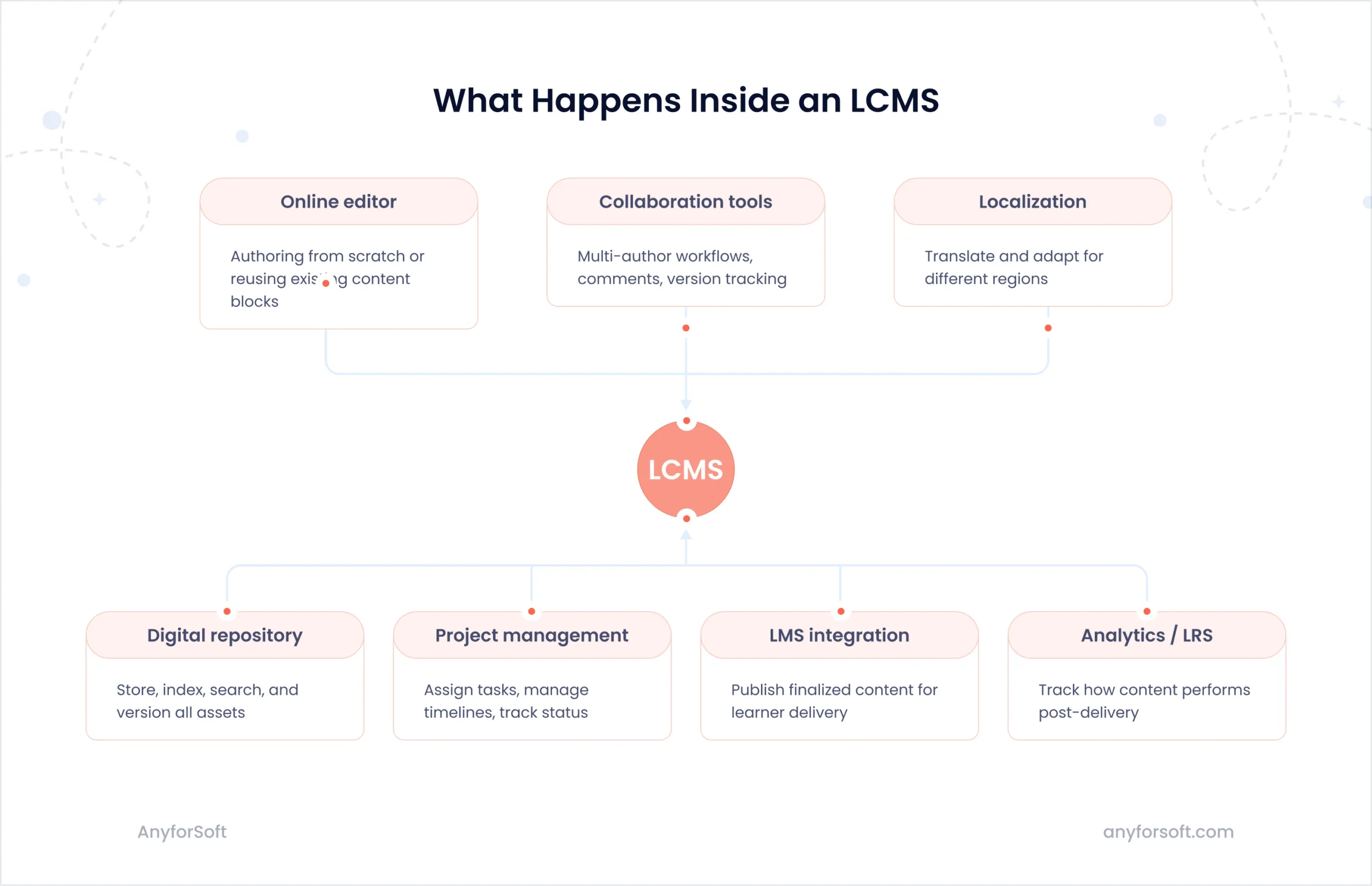
While an LMS helps you deliver and manage training, an LCMS is where that training content is actually built. The platform supports the full content development cycle – from authoring and version control to localization and publishing.
Here’s how content typically flows through an LCMS:
- Create modular content blocks — videos, slides, assessments, text, images, interactive elements
- Organize content into courses — assemble modules into full lessons or learning paths
- Collaborate and review — multiple authors contribute, reviewers leave feedback, and changes are tracked
- Manage versions and localizations — content is adapted for different audiences or languages without starting over
- Publish to the LMS — push finalized content directly into your LMS or export for other platforms
- Update and reuse — make changes once and have them reflected across every course using that content
Core LCMS benefits
Powerful content creation: Build interactive and engaging content using templates, multimedia, and authoring interfaces.
Modular content reuse: Structure your training into reusable blocks that can be repurposed across multiple courses or departments.
Version control: Collaborate with teams while keeping track of changes and maintaining a clean revision history.
Localization and translation: Create multilingual versions of your content and adapt materials to different cultures and regions.
Workflow management: Assign roles, set up approval flows, and manage content pipelines to ensure timely delivery.
Must-have LCMS features
Not only the purpose but also the features highlight the difference between LMS and LCMS.
- Authoring tools: Drag-and-drop interfaces, built-in media libraries, and templating for consistent design.
- Collaboration features: Allow designers, SMEs, and reviewers to work together in real time or asynchronously.
- Content reusability: Reduce duplication by using shared learning objects across multiple programs.
- Analytics and insights: See which content performs best, how learners engage, and where improvements are needed.
- Compliance controls: Maintain content approval logs and ensure consistency across regulated materials.
Who needs an LCMS?
An LCMS becomes essential when your content operation starts to outgrow spreadsheets, siloed authors, and endless copy-pasting. If you’re creating learning materials at scale — across teams, programs, or languages — an LCMS helps you stay structured, consistent, and collaborative.
Here’s who gets the most value out of it:
- Instructional design teams. Use LCMS platforms to streamline the authoring process across large teams from first draft to final review.
Example: An edtech company runs multiple programs with overlapping topics: critical thinking, writing, and digital literacy. Each course shares some foundational lessons but tweaks examples for different age groups. Their LCMS allows them to create reusable learning objects. One edit to a shared lesson (e.g., plagiarism basics) updates it everywhere. - Organizations delivering multilingual training. Teams can translate, adapt, and maintain content in multiple languages without duplicating work.
Example: A multinational manufacturing firm trains employees across 8 regions, in 5 languages, on how to use and service new equipment. With an LCMS, they create modular training blocks (like safety procedures or troubleshooting steps) once, then localize them. Every region sees the right version, and any update to the source version auto-notifies the translation teams. - Collaborative content teams. When content creation involves SMEs, reviewers, designers, and compliance leads, an LCMS gives each stakeholder a role in a unified workflow.
Example: A healthcare training provider uses an LCMS to coordinate between medical writers, legal reviewers, and instructional designers — reducing review cycles from weeks to days. - Professional training organizations. An LCMS helps teams reuse existing content across multiple audiences.
Example: A financial certification provider runs programs in multiple jurisdictions, each with slightly different regulatory requirements. They use an LCMS to manage “core” modules centrally and create rule-based variations for each country’s compliance layer. - Academic publishers and content providers. For organizations producing large volumes of educational content, an LCMS enables structure, searchability, and long-term content maintenance.
Example: A digital textbook provider uses an LCMS to assemble courses from modular learning objects — updating only the changed blocks each year instead of rebuilding full lessons.
LMS vs LCMS vs CMS: Know the Difference
While researching learning technologies, you’ll often come across not only LMS and LCMS but also CMS. The differences may seem subtle, but they matter when choosing the right system for your needs.
Let’s break it down:
- LMS (learning management system) manages the delivery and tracking of learning.
- LCMS (learning content management system) focuses on creating and managing content.
- CMS (content management system), unlike the other two, is not designed specifically for education. It’s a general tool used to manage digital content on websites. Platforms like WordPress, Drupal, or Joomla are examples of CMSs.
Looking for a deeper dive into LMS vs CMS? Check out this guide comparing key differences and benefits of LMS and CMS.
While you can use a CMS to publish educational materials, it doesn’t provide the learning-specific features like progress tracking, assessments, or course management that LMS or LCMS offer. Still, some e-learning organizations use CMS platforms alongside their LMS to handle static content such as blogs, landing pages, and general web resources.
When these systems integrate, organizations get the best of all worlds – dynamic content creation, seamless delivery, and robust content management.
Here’s a quick comparison table:
| Feature | LMS | LCMS | CMS |
|---|---|---|---|
| Main purpose | Deliver and manage training | Create and manage learning content | Manage website content |
| Target users | Learners, admins, instructors | Content creators, instructional designers | Marketers, web admins |
| Content authoring tools | Limited or integrated | Built-in and collaborative | Not built-in for e-learning |
| Learner progress tracking | Yes | Sometimes (if integrated with LMS) | No |
| Assessment tools | Yes | No | No |
| Integration | Can integrate with LCMS, CMS | Can integrate with LMS | Can integrate with LMS |
Each platform serves a distinct purpose. Understanding the difference between LMS vs LCMS vs CMS will help you avoid costly mistakes and choose the right tools for your learning ecosystem.
LCMS vs LMS: Which One to Choose?
Choosing between a learning content management system vs a learning management system comes down to what matters most to you:
- Need to manage users, track progress, and assign learning? Go with an LMS.
- Need to build, update, localize, and reuse learning content at scale? Choose an LCMS.
- Need both? Consider integrating them – or build a customized platform that combines the best of both worlds.
LMS vs LCMS: Questions to ask before you decide
- What’s our main pain point – content creation or learner management?
- Do we need detailed reporting on learner progress or content performance? Or both?
- How complex is our training content? Do we localize or reuse content often?
- Who will use the platform? Do we have both content creators and trainers?
- How important is integration with existing tools?
Budget and scalability considerations
- LMS platforms are quicker to deploy and more cost-effective upfront.
- LCMS platforms may require more investment but offer long-term efficiency gains for content-heavy organizations.
Conclusion
LMS and LCMS platforms often work together — but they’re designed to solve different problems. The key is knowing which one maps to your current challenges.
If your priority is delivering learning at scale and tracking progress, an LMS is your foundation.
If you’re dealing with complex content creation, localization, or collaboration across teams, you’re in LCMS territory.
Choosing the right setup starts with understanding your workflow — and sometimes, a combination of both systems is exactly what’s needed.
At AnyforSoft, we help education providers, training companies, and mission-driven teams build tailored learning ecosystems — whether that means customizing a Drupal-based LMS, integrating authoring workflows, or creating something entirely from scratch.👉 Want to talk through your use case or see what’s technically possible? Let’s chat.